
You scanned the QR code in your order, so you’re in the right place. Here we can help you set up iMonnit Software and use a guide to install and configure your gateway, sensor, or accessory.
Follow these steps to create your account, add your gateway if one is included, and connect your sensors to iMonnit.
Create a new iMonnit account, or sign in with your existing account before adding your Monnit hardware.
If your order includes a gateway, add it before turning on or installing your sensors. Scan the QR code on the gateway, or enter the Gateway ID and Security Code in iMonnit.
Scan the QR code on each sensor, or click Sensors and Add Sensor in iMonnit. You can also enter the Sensor ID and Security Code manually.
Select the type of hardware in your order to access quick start, user, and installation guides, and support resources.
Use these guides to set up an ALTA or ALTA XL Gateway, or to help you connect ALTA Sensors.

Setup and user documentation for the standard ALTA Ethernet Gateway.

Setup and user documentation for the ALTA XL Ethernet Gateway.

Setup and user documentation for the ALTA IoT Gateway.

Setup and user documentation for the ALTA XL IoT Gateway.

Setup and user documentation for the ALTA Industrial IoT Gateway.

Setup and user documentation for the ALTA XL Industrial IoT Gateway.

Setup and user documentation for the ALTA Serial Modbus Gateway.
These guides will help you install and configure sensors and detachable hardware.

Know how to install a sensor base and hot-swap a lead after NIST certification or before recertification.
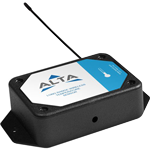
Find guides to configure your Monnit Sensors in iMonnit and follow step-by-step installation instructions.
Use these guides for Monnit hardware to support setup, connection, or local communication.

Setup and user documentation for the ALTA Wireless Sensor Adapter.
Browse setup help, installation resources, troubleshooting articles, and product documentation.